Description
A fashion flyer should sell the collection—not just show a good photo.
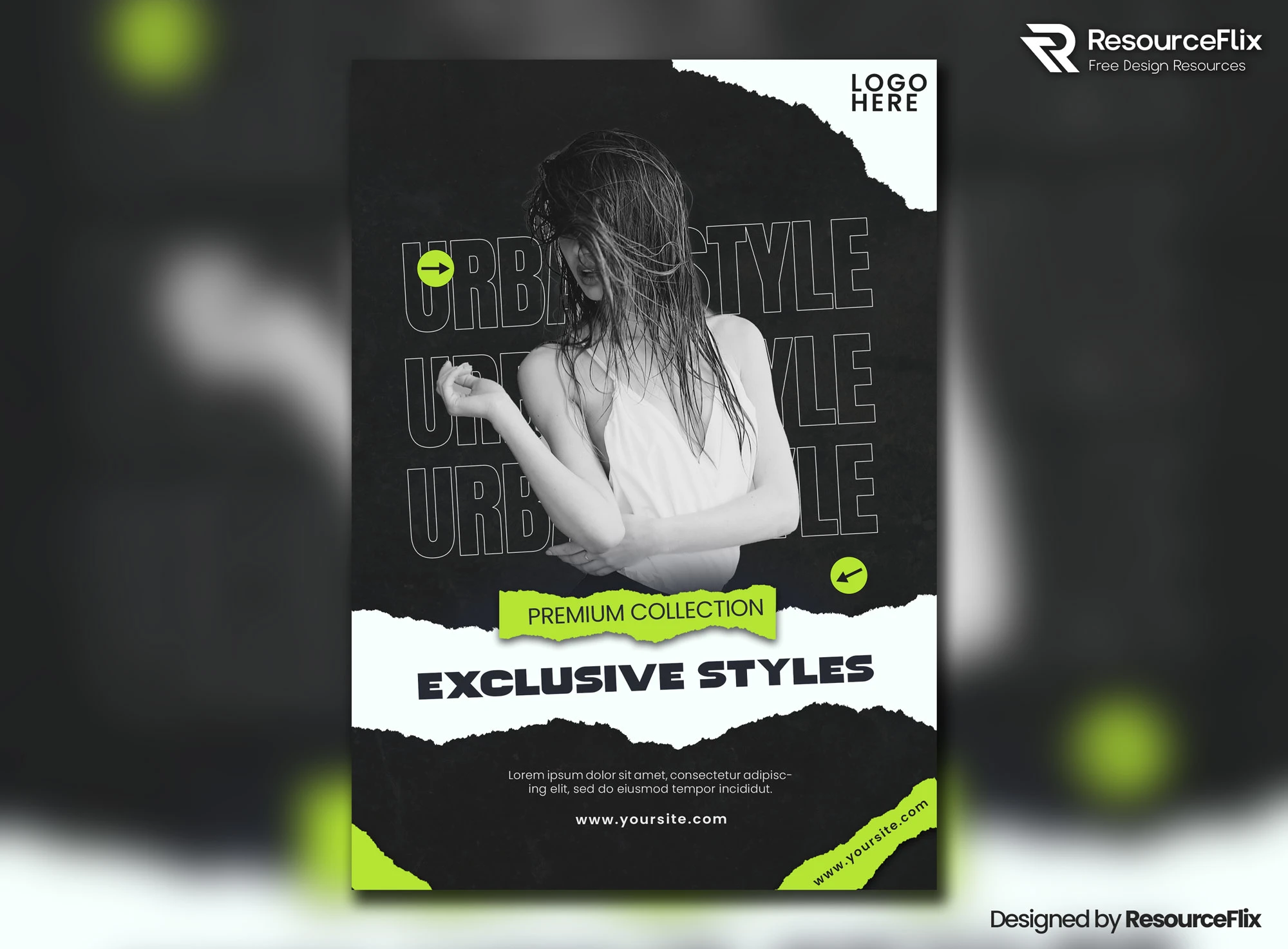
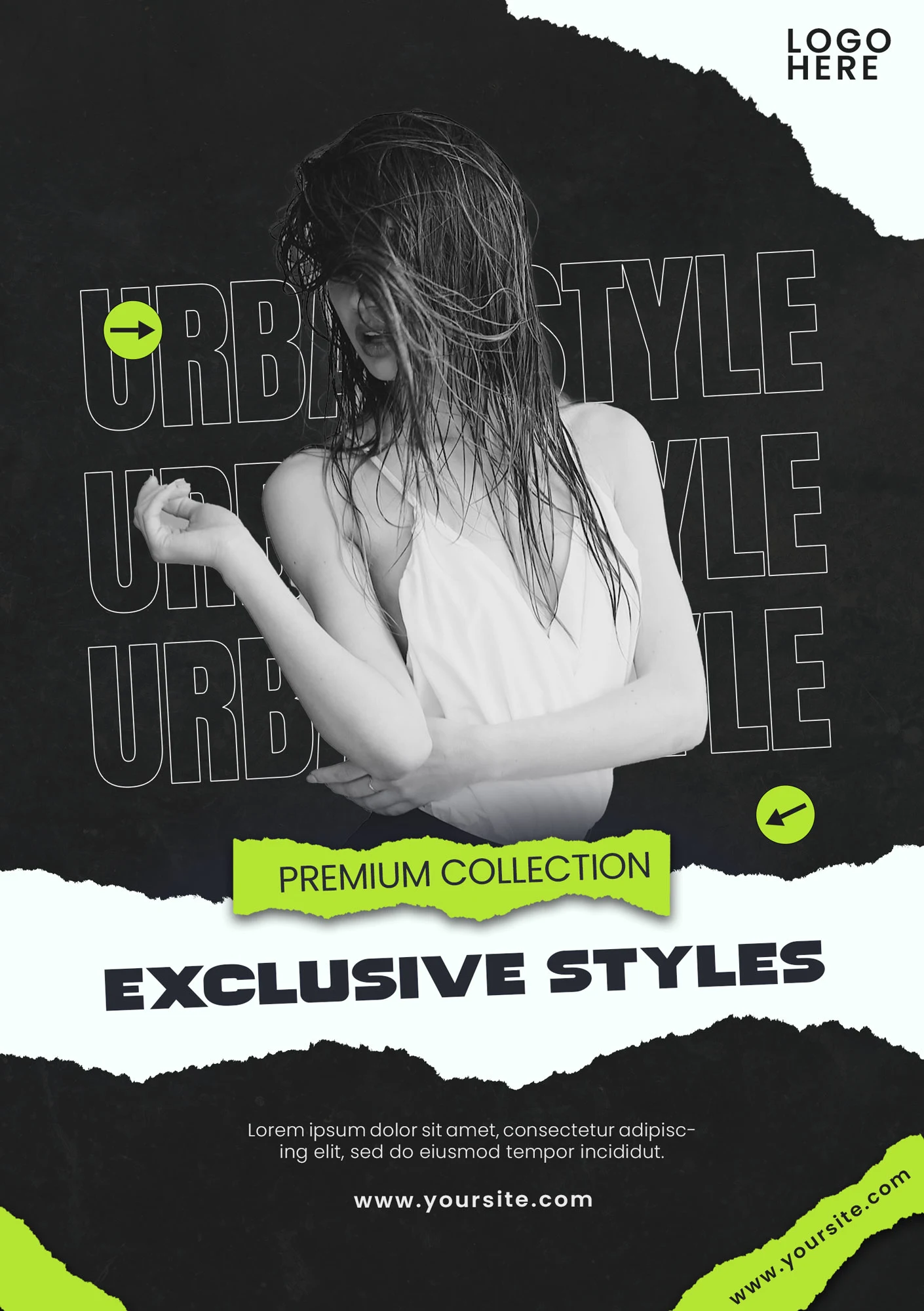
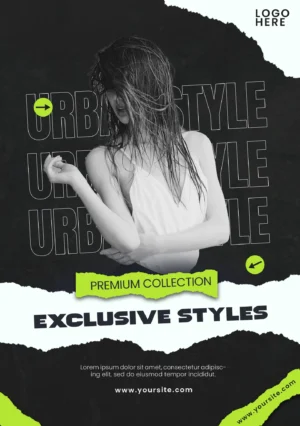
This Free Exclusive Apparel Collection Flyer PSD gives clothing brands, boutiques, and fashion marketers a modern layout for promoting new collections, seasonal drops, special releases, and apparel campaigns.
The PSD is fully editable in Adobe Photoshop, allowing you to replace the images, update the collection name, adjust colours, add your logo, and customise the promotional details. Organised layers make it easier to adapt the template to different campaigns without rebuilding the entire design.
Give the Collection a Clear Identity
“New Collection” is useful information, but it isn’t much of an idea.
Give the release a name or direction whenever possible.
It could be based on:
- A season
- A specific style
- A colour story
- A lifestyle
- A location
- A limited release
- A new product category
A named collection is easier to remember and gives the flyer something specific to communicate.
Instead of presenting random clothing pieces, the campaign begins to feel like one connected release.
Key Features
- Fully editable PSD flyer
- Modern fashion-focused layout
- Customisable text and colours
- Replaceable images
- Editable brand elements
- Organised Photoshop layers
- High-resolution artwork
- Suitable for apparel promotions
- Free for personal and commercial use
Best For
This template can be adapted for:
- New collection launches
- Seasonal fashion campaigns
- Boutique promotions
- Streetwear drops
- Apparel sales
- Limited releases
- Fashion events
- Online store campaigns
- Brand announcements
- Clothing advertisements
Designer Tip
Write one sentence that defines the collection before editing the flyer.
For example:
“A relaxed summer collection built around lightweight neutral pieces.”
Or:
“A limited streetwear drop with oversized silhouettes and bold graphics.”
Now use that sentence to guide the image, colours, typography, and copy.
If an element doesn’t fit the collection idea, remove or change it.
This simple step helps the final design feel like a real campaign rather than a template with a fashion photo added to it.
Choose a Hero Product
A flyer doesn’t need to show every item in the collection.
Choose one product, outfit, or image to lead the campaign.
The hero visual should represent the overall direction of the release. Supporting items can appear in other social posts, product pages, stories, emails, or lookbook content.
Trying to fit the entire collection into one flyer usually makes every product look less important.
Let one strong visual create curiosity.
Collection Launch or Sale?
These are two different messages.
For a collection launch, focus on:
- Collection name
- Visual identity
- Release date
- Key product or look
- Where to shop
For a sale promotion, focus on:
- Discount or offer
- Eligible products
- Start and end dates
- Shopping method
- Important conditions
Don’t give the collection story and the discount equal importance unless both genuinely matter.
Decide what the campaign is asking customers to respond to.
Keep the Styling Consistent
If you replace the original images, make sure the new visuals feel like they belong to the same campaign.
Check:
- Lighting
- Background style
- Model styling
- Image crop
- Colour treatment
- Overall mood
Mixing a luxury studio photograph with a casual phone image and a busy outdoor shot can make the collection feel disconnected.
Consistency helps separate a fashion campaign from a random product collage.
Use Brand Colours Carefully
You don’t need to apply the brand colour to every part of the flyer.
If the clothing already has a strong colour palette, let the product photography influence the design.
Use brand colours where they help with recognition—such as the logo, small accents, buttons, or important information.
The clothes should remain the main focus.
Create a Sense of Release
Fashion marketing often works around timing.
If the collection has a specific launch date, make it visible. For limited drops, include accurate availability information. For seasonal campaigns, make the season part of the visual story when relevant.
Useful details may include:
- Available now
- Launching on a specific date
- Limited collection
- Online exclusive
- Available in selected stores
- Pre-order opening date
Only use urgency when it is real.
False scarcity may create short-term attention, but clear and accurate information builds stronger brand trust.
Make the Next Step Obvious
After seeing the flyer, where should the customer go?
Depending on the campaign, the call to action might be:
- Shop the collection
- Explore the lookbook
- Visit the store
- Join the waitlist
- View the new arrivals
- Pre-order now
Choose the action that matches the actual stage of the collection.
A launch teaser shouldn’t always use the same call to action as a live sale.
Before Exporting
Check the flyer at a small size.
Can someone quickly identify:
- The brand
- The collection or offer
- The main product
- The launch or sale information
- The next step
If the clothing image looks strong but the purpose of the campaign is unclear, the flyer still needs work.
Technical Details
- File Format: PSD
- Design Style: Modern fashion and apparel
- Editable Elements: Text, colours, images, and branding
- Layer Structure: Organised and editable
- Quality: High resolution
- Software Required: Adobe Photoshop
- Best For: Fashion launches and apparel promotions
- License: Free for personal and commercial use
This apparel collection flyer works best when the campaign has a clear identity. Define the collection, choose one strong hero visual, and make it obvious whether you’re launching something new, promoting a sale, or building anticipation for an upcoming release.