Description
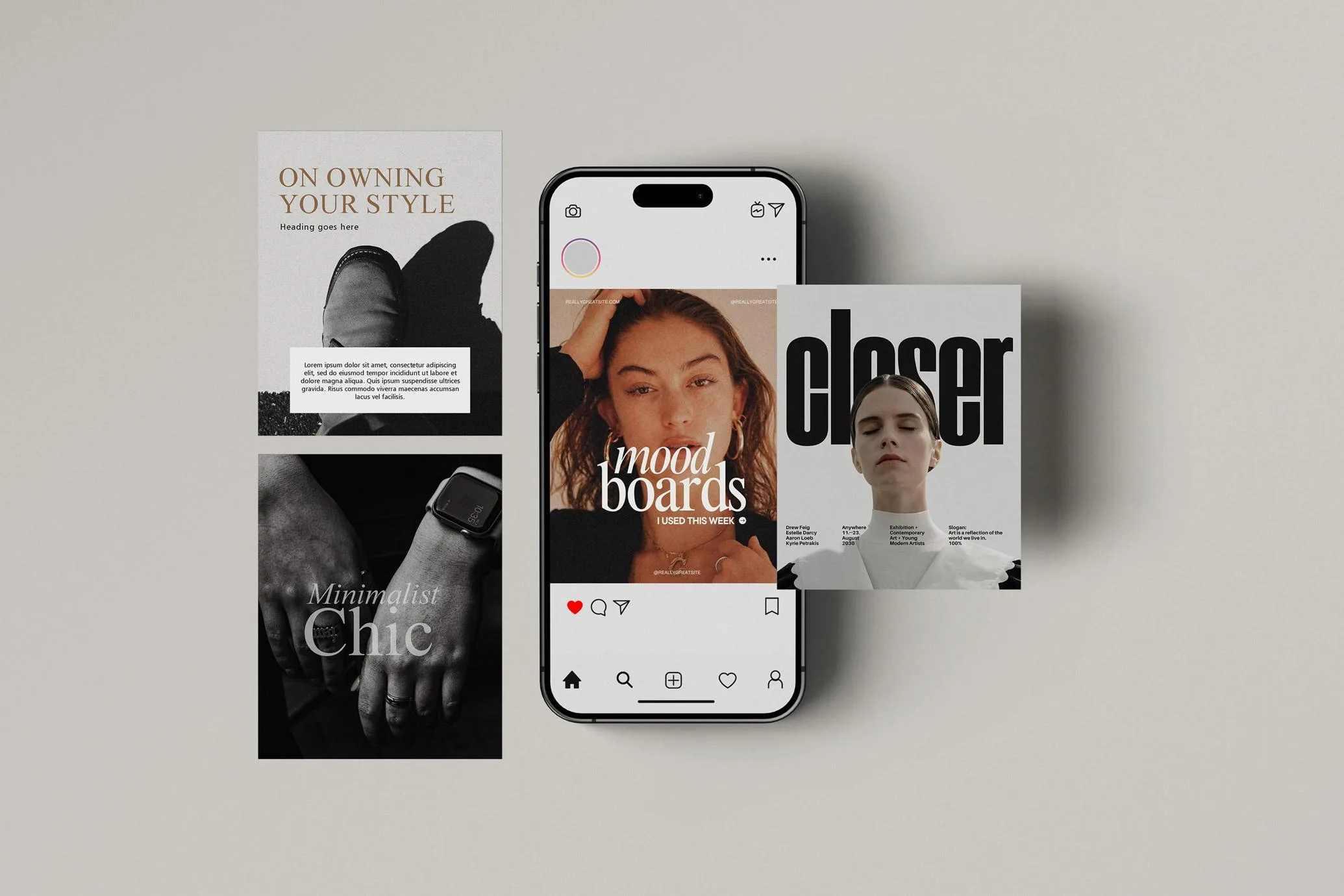
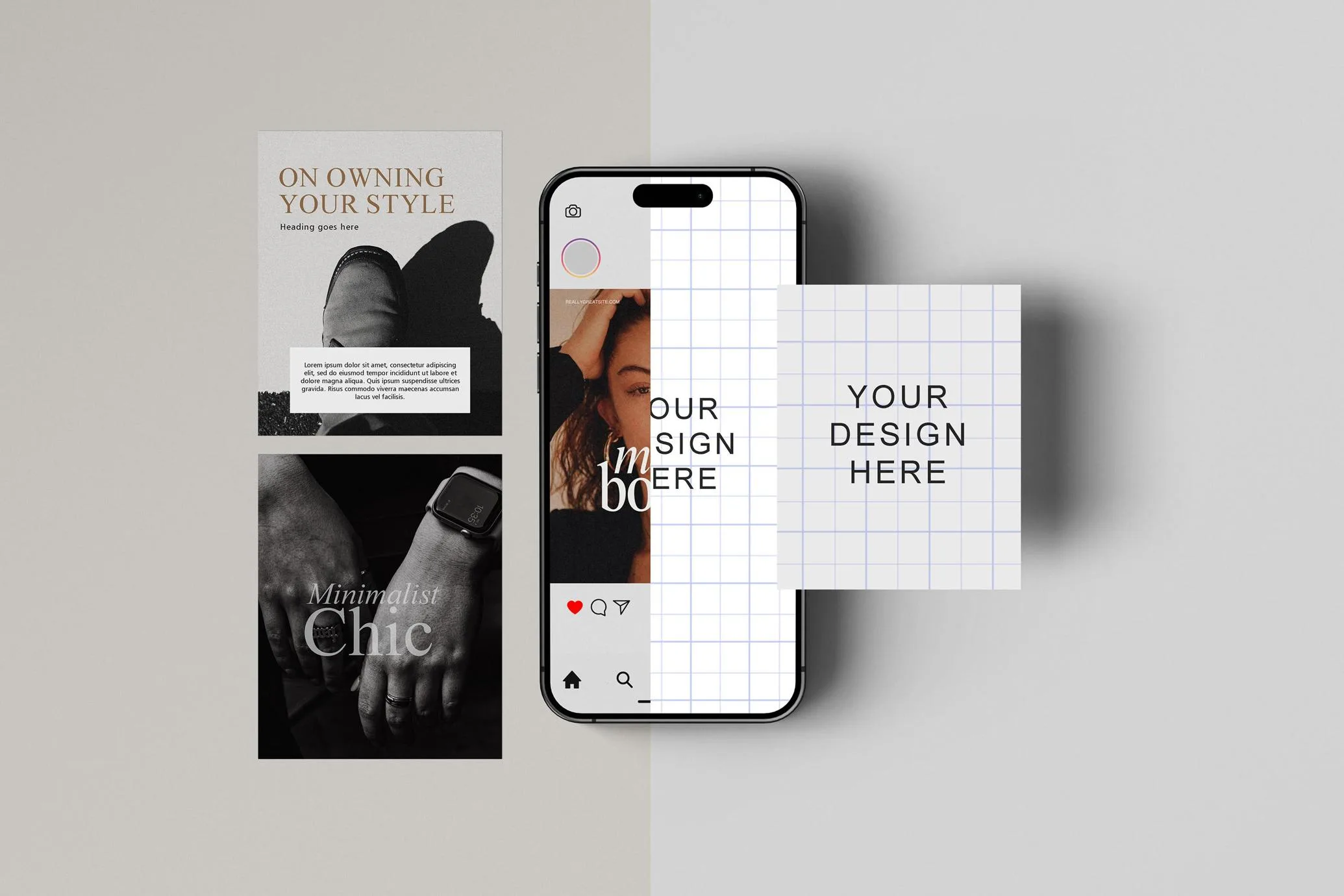
A single screen doesn’t always tell the whole story. This mockup solves that by pairing an iPhone display with three editable square cards, making it easy to present an interface alongside supporting visuals in one cohesive composition.
The layout is simple but flexible. The phone naturally becomes the focal point, while the surrounding cards provide space for additional app screens, social media posts, branding elements, illustrations, typography, or campaign graphics. Instead of showing isolated assets, you can present an entire design system in a way that’s easy for clients and audiences to understand.
Soft shadows create depth between each object without making the scene feel busy. The result is a clean presentation that works equally well for minimalist branding, colourful marketing campaigns, UI case studies, and editorial concepts.
What’s Included
- Editable iPhone screen
- Three editable square cards
- Smart Object replacement for fast editing
- Fully layered and organized PSD
- Editable background colour
- Realistic lighting and natural shadows
- High-resolution file suitable for digital and print presentations
Where This Mockup Fits Best
This layout is especially useful when your project includes more than a single visual. It works well for:
- Mobile app and UI presentations
- Brand identity systems
- Instagram carousel previews
- Product launch campaigns
- Editorial and magazine concepts
- Marketing presentations
- Portfolio case studies
- Behance and Dribbble projects
A Small Design Tip
Think of the phone as the “hero” element and let the surrounding cards support it. For example, display your main app screen on the device while using the cards for onboarding screens, colour palettes, feature highlights, icons, or promotional graphics. Keeping all four designs visually connected creates a stronger presentation than treating each element separately.
If your artwork uses consistent spacing and colour throughout the composition, the finished preview will feel much more intentional and polished.
Technical Details
- File Format: PSD
- Editing: Smart Objects
- Editable Elements: iPhone display and three separate cards
- Background: Fully editable
- Software: Adobe Photoshop
- Layer Structure: Organized and layered
- Resolution: High resolution
- License: Free for personal and commercial use
Whether you’re preparing a client presentation, updating a portfolio, or creating promotional material for a new product, this mockup gives you enough flexibility to present multiple design assets together without making the composition feel crowded. Replace the Smart Object contents, adjust the background if needed, and export a presentation that’s ready to share.
Frequently Asked Questions
Can each card display a different design?
Yes. Every card is editable independently, so you can mix different graphics, layouts, or branding assets within the same presentation.
What kind of projects work best with this mockup?
It’s a strong choice for UI design, branding projects, social media campaigns, editorial layouts, digital products, and marketing presentations where multiple visuals need to be shown together.
Can I change the background colour?
Yes. The background is fully editable, making it easy to adapt the mockup to your brand or presentation style.
Do I need Adobe Photoshop?
Yes. The file uses Smart Objects and is designed to be edited in Adobe Photoshop.