Description
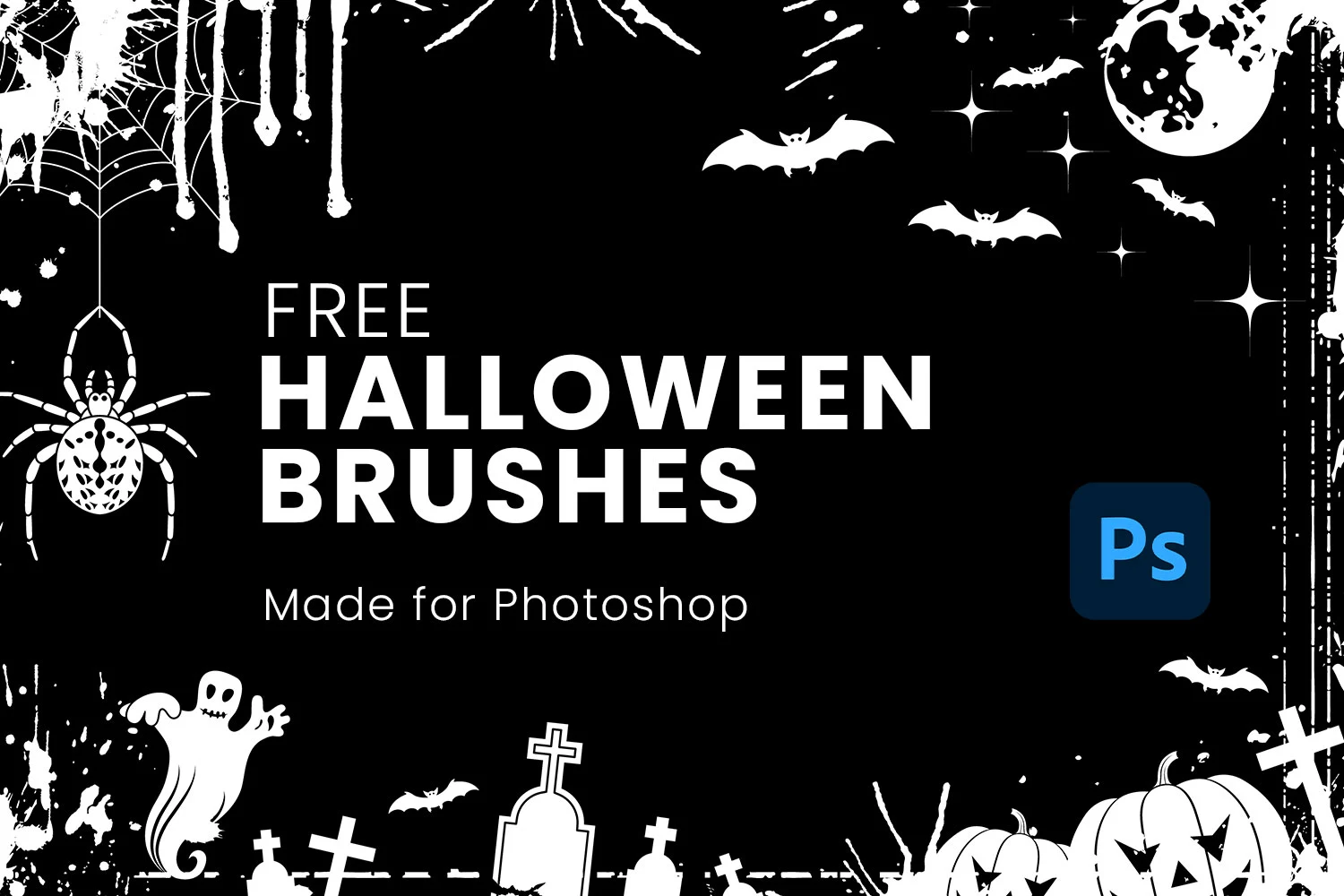
Get your seasonal designs ready with this Free 30 Halloween Brushes for Photoshop. Packed with spooky illustrations and festive Halloween elements, this high-quality ABR brush collection helps you create eye-catching posters, party invitations, social media graphics, digital artwork, and holiday-themed designs in just a few clicks.
Instead of searching for Halloween clipart or drawing every element manually, simply load the brush pack into Photoshop and start decorating your artwork with professionally crafted Halloween graphics.
Everything You Need for Halloween Designs
This brush pack includes 30 unique Halloween brushes, featuring a variety of classic spooky elements inspired by the Halloween season.
Inside the collection you’ll find brushes such as:
- Jack-o’-lanterns
- Pumpkins
- Bats
- Spiders
- Spider webs
- Witches
- Haunted trees
- Ghosts
- Skulls
- Creepy decorative elements
Each brush is designed to help you quickly build festive compositions while keeping your workflow simple and efficient.
High-Resolution Brush Collection
Every brush is created with crisp detail, allowing you to scale the artwork without sacrificing quality.
Whether you’re designing a small Instagram post or a large event poster, the brushes remain clean, sharp, and professional.
This makes the collection suitable for both digital and print projects.
Easy Installation
Installing the brushes takes only a few moments.
- Download the ABR file.
- Open Adobe Photoshop.
- Import the brush pack using the Brushes panel.
- Select your favourite Halloween brush.
- Paint directly onto your design.
Because they’re standard Photoshop brushes, you can easily resize, rotate, recolour, or combine multiple brushes to create unique seasonal artwork.
Key Features
- 30 Halloween-themed Photoshop brushes
- High-resolution ABR format
- Fully scalable brush designs
- Easy Photoshop installation
- Editable colours and brush size
- Works with tablets and mouse input
- Suitable for print and digital projects
- Free for personal and commercial use
Perfect For
These brushes are ideal for:
- Halloween party posters
- Event flyers
- Invitations
- Social media graphics
- T-shirt designs
- Greeting cards
- Scrapbooking
- Digital illustrations
- Classroom projects
- Seasonal marketing campaigns
Designer Tip
Rather than using one large Halloween graphic, combine several smaller brushes throughout your design.
For example:
- Add flying bats near the top.
- Place pumpkins around the bottom.
- Use spider webs in the corners.
- Scatter small decorative elements around your headline.
Layering multiple brushes creates a richer composition while keeping the overall design balanced.
Fully Customisable
Every brush works like a standard Photoshop brush, giving you complete creative freedom.
Adjust:
- Brush size
- Colour
- Opacity
- Flow
- Rotation
- Blending mode
This flexibility makes the brushes suitable for playful Halloween graphics, vintage-style posters, spooky horror artwork, or modern seasonal branding.
Great for Seasonal Marketing
These brushes aren’t limited to personal artwork.
They’re also perfect for businesses promoting Halloween campaigns, including:
- Retail sales
- Restaurant promotions
- Costume events
- Haunted house attractions
- Café specials
- School activities
- Community events
- Holiday advertising
Adding seasonal graphics helps promotional materials feel more engaging without requiring complex illustration work.
Compatible Software
This brush collection is supplied in Adobe Brush (ABR) format.
Compatible with:
- Adobe Photoshop CS6
- Adobe Photoshop CC
- Newer Photoshop versions
- Other software supporting imported ABR brushes (where available)
Technical Details
- File Format: ABR
- Number of Brushes: 30
- Brush Category: Halloween decorative brushes
- Software: Adobe Photoshop CS6 and above
- Use Cases: Posters, flyers, invitations, digital art, social media, branding, and seasonal marketing
- License: Free for personal and commercial use
Whether you’re designing a spooky Halloween invitation, decorating social media graphics, or creating festive marketing materials, these free Photoshop Halloween Brushes provide a quick and creative way to add seasonal charm to every project.