
Description
A phone sale flyer should make the device look desirable without making the offer difficult to understand.
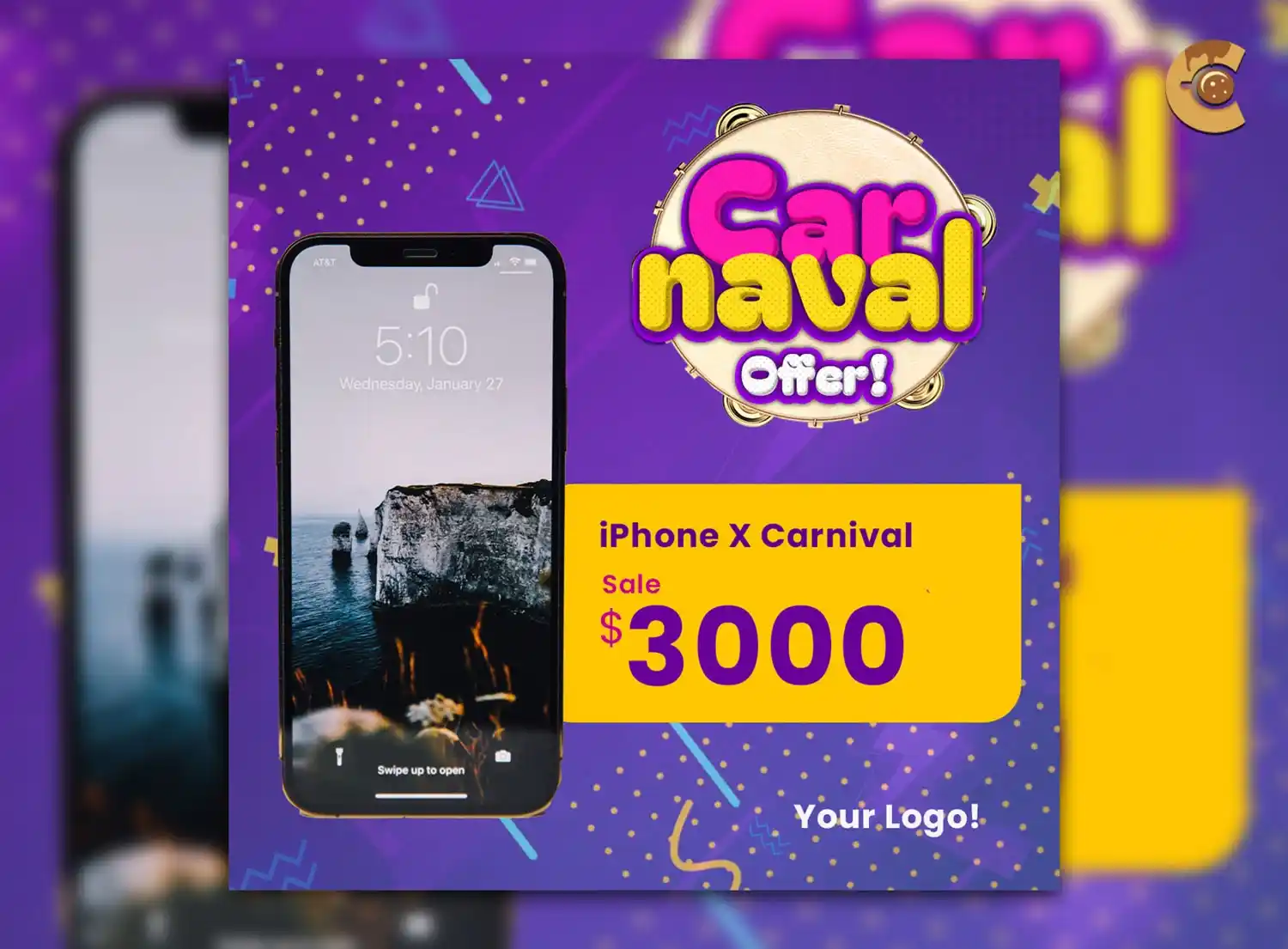
This Free Mobile Phone Sale Flyer PSD gives electronics stores, mobile retailers, and tech businesses a sleek layout for promoting smartphone discounts, new arrivals, and special offers.
Created in RGB colour mode at 300 DPI, the template is naturally suited to digital advertising and high-resolution promotional graphics. The PSD is fully editable in Adobe Photoshop, allowing you to update the product image, model name, price, colours, promotional text, and store branding.
The preview images are not included, so you can add your own product visuals or use properly licensed images that match the phone being advertised.
Show the Exact Phone
“Latest Smartphone Sale” may get attention, but buyers usually want to know which device is actually included.
Whenever possible, identify the:
- Brand
- Model
- Storage capacity
- Colour, if relevant
- Network status, if relevant
Different versions of the same phone can have very different prices.
Don’t advertise one model visually and place the price of another variant beside it.
Key Features
- Fully editable PSD template
- High-resolution artwork
- RGB colour mode
- 300 DPI resolution
- Organised Photoshop layers
- Replaceable product image
- Customisable text and colours
- Editable pricing and promotional details
- Modern technology-focused layout
- Free for personal and commercial use
Best For
This template can be adapted for:
- Smartphone sales
- Mobile store promotions
- New phone arrivals
- Electronics discounts
- Limited-time tech offers
- Online mobile campaigns
- Retail advertisements
- Product launch promotions
- Social media advertising
- Storewide phone sales
Designer Tip
Write the complete deal before designing the large price.
For example:
“128 GB model for $699 with no trade-in required.”
Or:
“Save up to $300 with an eligible device trade-in.”
These are very different offers.
Once the complete deal is clear, you can decide which number deserves the most visual attention.
Full Price or Monthly Payment?
Don’t make a monthly payment look like the full price of the phone.
If the flyer shows a figure such as $29.99, explain what it means.
It may be:
- Per month
- After a deposit
- Part of a contract
- Available with a specific plan
- Subject to approval
The large number attracts attention, but the surrounding information gives it meaning.
If important conditions change the real cost of the deal, don’t hide them in unreadably small text.
Be Careful With “Up To” Discounts
“Save up to $500” doesn’t mean every customer receives a $500 discount.
If the maximum saving depends on a specific phone, trade-in, plan, or eligibility requirement, make that clear.
The same applies to:
- Starting from
- Free with plan
- No-cost upgrade
- Zero down
- Buy one, get one
These phrases can describe legitimate promotions, but they need enough context to be understood correctly.
Match the Image to the Product
The preview images are not included and may use sample visuals from Unsplash.
When customising the flyer, use an image that accurately represents the device being promoted.
Check:
- Camera layout
- Screen design
- Device colour
- Model generation
- Product shape
Smartphone models can look similar at a glance.
A visually incorrect image can confuse customers and weaken the credibility of the promotion.
Don’t List Every Specification
A flyer isn’t a complete product page.
Choose the details that matter most to the offer.
Depending on the phone, these may include:
- Storage
- Camera feature
- Battery
- Display
- Connectivity
- Warranty
Three useful highlights are usually stronger than a long wall of technical specifications.
The full details can remain on the store website or product page.
New, Refurbished, or Pre-Owned?
Make the product condition clear.
If the phone is refurbished, renewed, open-box, or pre-owned, don’t present it as a new retail device.
This information can affect:
- Price
- Warranty
- Packaging
- Included accessories
- Buyer expectations
Clear product condition helps customers compare the offer properly.
Explain the Trade-In Deal
Trade-in promotions often depend on several factors.
The final value may vary based on:
- Device model
- Condition
- Storage
- Eligibility
- Promotional period
If the headline shows the maximum trade-in value, make sure the flyer doesn’t imply that every old phone qualifies for the same amount.
Direct customers to a clear place where they can check the full conditions.
Give Customers the Right Next Step
Choose a call to action that matches the promotion.
For example:
- Shop the offer
- Check availability
- Visit the store
- View eligible devices
- Check trade-in value
- Pre-order now
A customer interested in a specific phone may want to know whether the correct storage and colour are available before visiting.
Make that information easy to check.
Design for a Phone Screen
This PSD uses RGB colour mode, making it naturally suited to online promotions.
Before publishing, view the final flyer on an actual phone.
Can you quickly identify:
- The device
- The model
- The main price
- What the price means
- The next step
If the offer requires zooming in to understand, simplify the layout.
A mobile phone promotion should work especially well on a mobile phone.
Digital and Print Use
The template is created at 300 DPI in RGB colour mode.
This makes it suitable for high-resolution digital marketing, including social media, websites, email campaigns, and online advertisements.
If you need printed materials, confirm the required document size, colour profile, bleed, and export settings with your printing service before preparing the final artwork.
Before Publishing
Check:
- Exact phone model
- Storage capacity
- Product condition
- Full price
- Monthly payment terms
- Trade-in requirements
- Offer dates
- Stock availability
- Warranty information
- Store contact details
Technology offers often contain several conditions.
The flyer should simplify the promotion without changing what the customer actually receives.
Technical Details
- File Format: PSD
- Colour Mode: RGB
- Resolution: 300 DPI
- Layer Structure: Organised and editable
- Editable Elements: Product image, text, colours, price, and branding
- Preview Images: Not included
- Software Required: Adobe Photoshop
- License: Free for personal and commercial use
This mobile phone sale flyer works best when the product and the deal are equally clear. Show the exact device, explain what the main price represents, and give customers enough information to understand the offer before they click or visit the store.

Reviews
There are no reviews yet.