
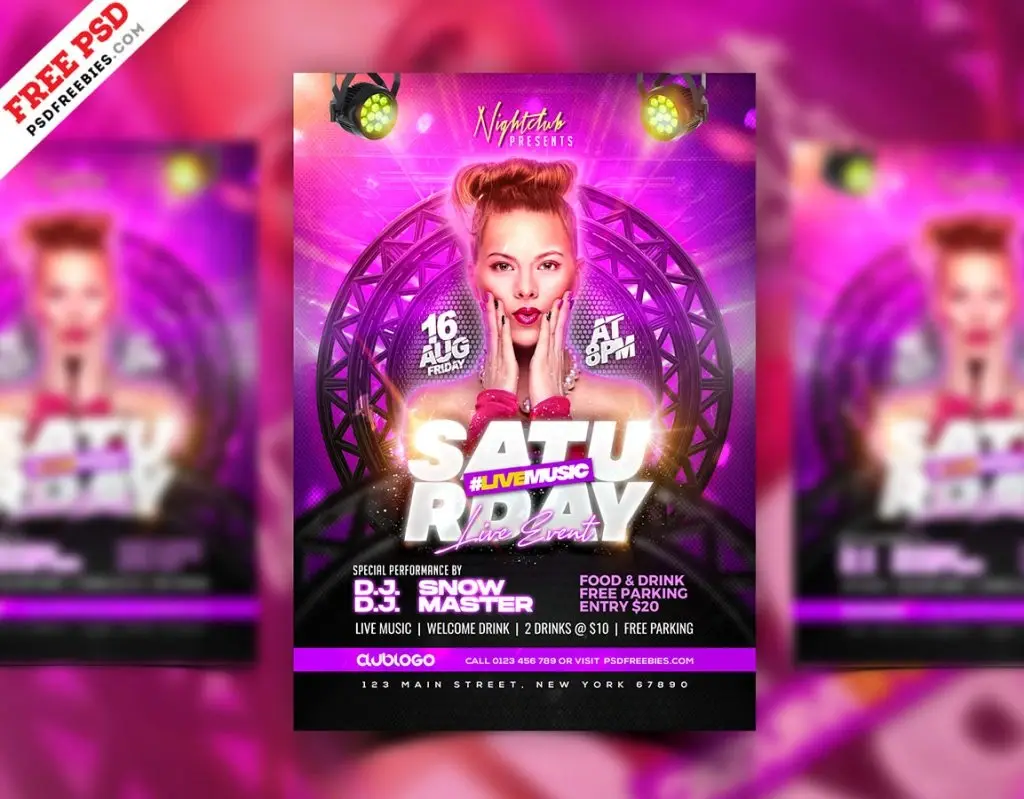
Description
The template gives you the structure. The image you add decides whether the poster actually works.
This Free DJ Night Club Poster Template PSD provides a bold, modern layout for promoting DJ performances, club nights, music events, and nightlife campaigns. The file is created in CMYK colour mode and can be customised in Adobe Photoshop with your own event details, colours, and visuals.
The preview images are not included, giving you the freedom to build the poster around your own DJ, artist, venue, or event identity.
Start With the Right Image
Replacing a preview image isn’t just a technical step.
The photo you choose can completely change the mood of the poster. A close-up artist portrait creates a different feeling from a wide festival crowd, a DJ performance shot, or an abstract music visual.
Before choosing an image, decide what you’re actually selling.
Is the DJ the main attraction? Is the venue the reason people will attend? Is the event built around a specific music genre or visual concept?
The answer should guide the image selection.
Key Features
- Fully editable PSD poster
- CMYK colour mode
- Bold nightlife-inspired layout
- Customisable text and colours
- Editable event information
- Replaceable visuals
- High-resolution artwork
- Suitable for DJ and music promotions
- Easy to customise in Adobe Photoshop
- Preview images not included
Best For
This template can be adapted for:
- DJ performances
- Nightclub events
- Music festivals
- Electronic music nights
- Club promotions
- Guest artist events
- Dance parties
- Weekend events
- Concert promotions
- Music marketing campaigns
Designer Tip
Don’t choose a replacement photo just because it looks “cool.”
Check whether it has enough usable space for the poster layout.
A strong image for Instagram may be a terrible image for a poster if the subject fills every corner and leaves nowhere for the headline, date, or lineup.
Look at the image as a composition:
- Where is the subject?
- Which areas are visually quiet?
- Is there room for typography?
- Does the lighting match the design?
- Will the image still work after cropping?
Choose the image that supports the layout, not the one that forces you to fight it.
Artist Photo or Event Atmosphere?
Use an artist portrait when the performer is the main reason people will attend.
If the event is more about the club experience, music style, or overall atmosphere, a crowd shot or abstract visual may communicate the idea better.
A lesser-known DJ doesn’t always need to occupy most of the poster. Sometimes the event concept should lead, with the artist name supporting it.
Match the visual hierarchy to what the audience actually cares about.
Check Image Quality Before Editing
The preview visuals aren’t included, so check the resolution of any replacement image before building the final poster.
A small photo can look acceptable while editing but become visibly soft or pixelated in a larger printed format.
Avoid stretching images beyond their useful size. If the source photo isn’t large enough, choose another one rather than trying to hide the problem with blur, grain, or heavy effects.
Effects can support an image. They can’t restore missing detail.
Make the Photo Belong to the Poster
Once you’ve selected the image, don’t immediately cover it with colour effects.
Start with basic adjustments.
Match the brightness, contrast, and overall colour direction to the existing design. Check whether the darkest and brightest areas work with the typography.
If the photo already contains strong lighting or saturated colours, you may need fewer effects than expected.
The final result should feel like one design—not a template with a new picture placed inside it.
Use Real Event Information
Replace the sample text with the actual details before making final layout adjustments.
Check:
- Event name
- DJ or artist name
- Date and time
- Venue
- Entry or ticket details
- Supporting lineup
- Age restrictions, if applicable
A long artist name or venue address can change the balance of the layout. Add the real content early instead of squeezing it in at the end.
Preparing the Poster for Print
The PSD uses CMYK colour mode, making it a useful starting point for printed event materials.
Before exporting, confirm the required poster size, bleed, safe area, resolution, and file format with your printing service.
Also check any replacement images in the final document size. A poster may reveal quality problems that aren’t obvious on a computer screen.
Technical Details
- File Format: PSD
- Colour Mode: CMYK
- Design Style: DJ and nightclub
- Editable Elements: Text, colours, layouts, and visuals
- Quality: High resolution
- Software Required: Adobe Photoshop
- Preview Images: Not included
- Best For: Music and nightlife promotions
This DJ night club poster gives you the visual structure, but the replacement image is what makes the design specific to your event. Choose a photo for its composition and purpose—not just its appearance—and make sure it has enough quality and space to work with the layout.

Reviews
There are no reviews yet.