
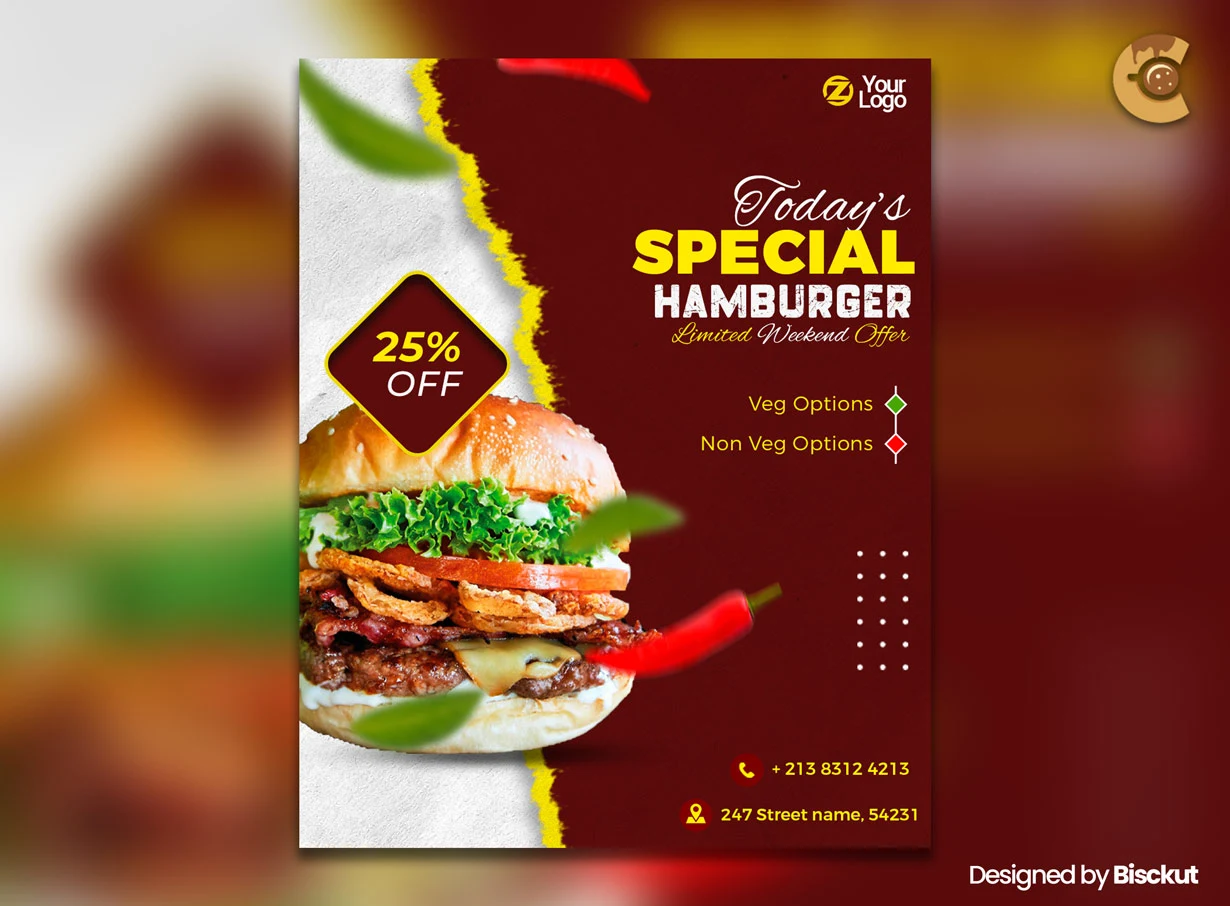
Description
A great food poster shouldn’t be limited to one menu item. It should adapt to whatever you’re serving.
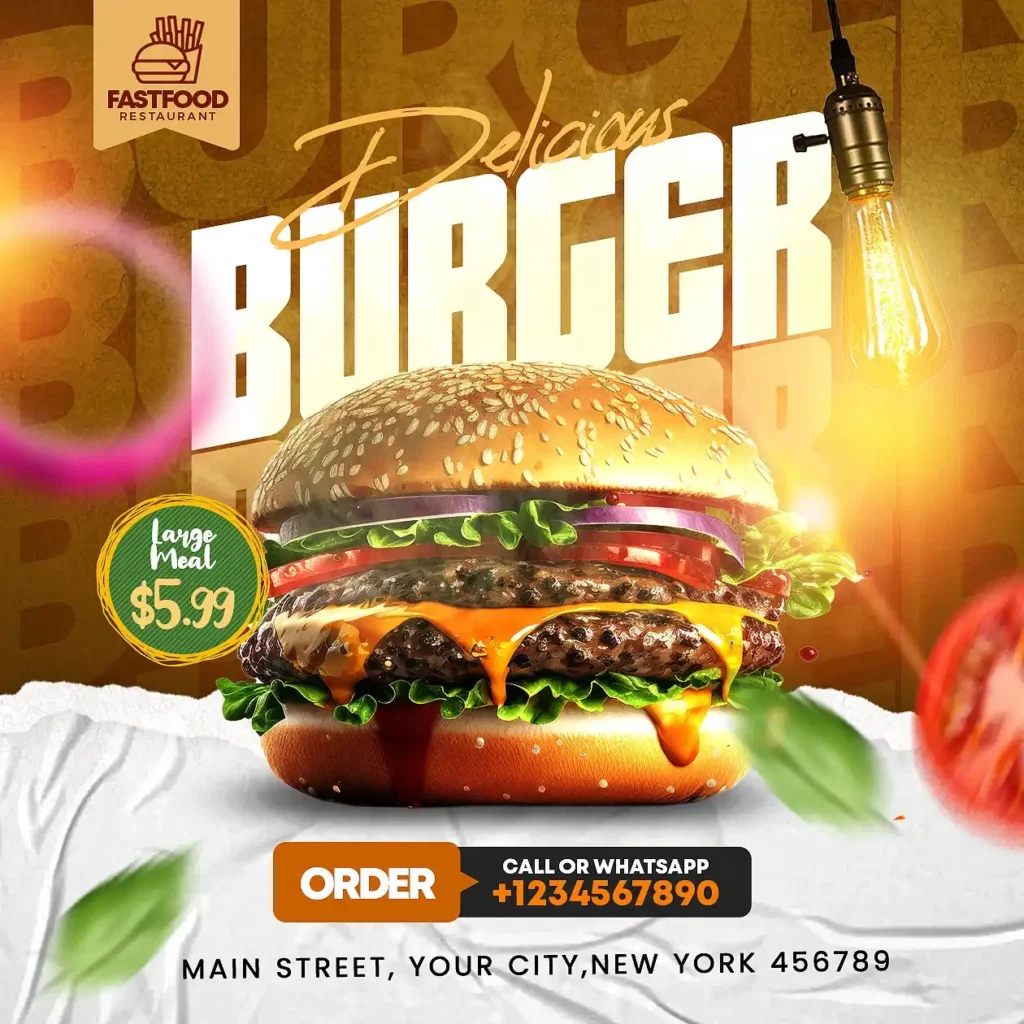
This Free Food Poster PSD is designed for restaurants, cafés, bakeries, cloud kitchens, food trucks, and delivery brands that need a professional promotional design without starting from scratch. Whether you’re advertising a juicy burger, fresh pizza, gourmet sandwich, bakery special, coffee, or seasonal menu item, this editable Photoshop template makes customization quick and simple.
The PSD is fully layered, organised, and built with Smart Object support, allowing you to replace the featured food image, update prices, edit promotional text, and customise colours to match your brand. Created in RGB colour mode at 300 DPI, it’s ideal for social media campaigns, online advertising, and high-quality promotional graphics.
One Template, Many Menu Items
The preview showcases a burger promotion, but the layout is flexible enough for almost any food business.
You can easily adapt it for:
- Pizza promotions
- Sandwich specials
- Fried chicken meals
- Pasta dishes
- Bakery products
- Coffee and desserts
- Sushi offers
- Street food campaigns
- Breakfast specials
- Seasonal menu launches
Instead of rebuilding a new design every time you launch a product, simply replace the hero image and update the promotional details.
Key Features
- Fully editable PSD template
- Smart Object image replacement
- High-resolution artwork
- RGB colour mode
- 300 DPI quality
- Editable typography
- Customisable colours
- Organised Photoshop layers
- Free for personal and commercial use
Perfect For
This template is suitable for:
- Restaurants
- Cafés
- Bakeries
- Fast-food businesses
- Food trucks
- Cloud kitchens
- Delivery brands
- Catering services
- Digital food promotions
- Printed marketing materials
Designer Tip
Design around the food—not the template.
Every menu item has a different visual personality.
A burger promotion often benefits from warm colours and bold typography.
A coffee advertisement may feel stronger with softer tones and cleaner spacing.
A bakery promotion might work better with lighter textures and elegant typography.
The layout can stay the same while the overall mood changes with the product you’re promoting.
Replace the Hero Image Carefully
The main food image is the first thing customers notice.
Choose a photograph that is:
- High resolution
- Well lit
- Sharp
- Properly cropped
- True to the actual menu item
Avoid stretching or heavily enlarging small images, as they can reduce the professional appearance of the final design.
If you replace the burger with another dish, make sure the composition still feels balanced and the food remains the centre of attention.
Make the Offer Easy to Understand
Promotions perform better when customers immediately know what they’re getting.
Instead of simply writing “Special Offer,” explain the promotion clearly.
For example:
- Buy One Get One Free
- Combo Meal
- Weekend Special
- Lunch Offer
- Family Meal
- Limited-Time Menu
- Free Delivery
- New Arrival
A clear offer helps customers decide faster.
Keep the Menu Information Relevant
Not every promotion needs a long ingredient list.
Include only the information that supports the offer.
Depending on the campaign, this might include:
- Product name
- Price
- Combo contents
- Serving size
- Limited availability
- Delivery information
The full menu can remain on your website or ordering platform.
The poster’s job is to create interest—not replace the menu.
Match the Colours to the Product
Because every layer is editable, you can quickly adjust the colour palette.
For example:
- Warm reds and oranges for burgers and grilled food
- Earthy tones for coffee
- Fresh greens for healthy meals
- Bright colours for desserts
- Elegant dark tones for premium dining
Changing the colours to suit the featured food often creates a stronger visual connection than using the same palette for every campaign.
Create a Consistent Food Campaign
Use this template as part of a larger marketing campaign.
For example:
- Launch announcement
- Limited-time offer
- Weekend promotion
- Delivery campaign
- Customer favourite spotlight
- Seasonal menu release
Keeping the same typography, branding, and design style across multiple promotions helps customers recognise your business more easily.
Digital and Print Use
The template is created at 300 DPI in RGB colour mode, making it an excellent choice for digital marketing, including:
- Instagram posts
- Facebook promotions
- WhatsApp marketing
- Website banners
- Food delivery campaigns
- Email promotions
If you intend to print the design, confirm the required colour profile, document size, bleed, and export settings with your printing provider before producing the final artwork.
Before Publishing
Check:
- Product image
- Product name
- Price
- Offer details
- Brand logo
- Contact information
- Website or QR code
- Ordering method
- Promotion dates
The strongest food advertisements combine beautiful photography with accurate information and a simple path to ordering.
Technical Details
- File Format: PSD
- Colour Mode: RGB
- Resolution: 300 DPI
- Editing: Smart Objects and layered elements
- Editable Elements: Images, text, colours, prices, and branding
- Software Required: Adobe Photoshop
- License: Free for personal and commercial use
Whether you’re promoting a single signature dish or refreshing your entire menu campaign, this free Food Poster PSD gives you a flexible foundation for creating professional food advertisements that are easy to customise and built to attract attention.

Reviews
There are no reviews yet.