
Description
Not every word in a design needs to look perfectly sharp.
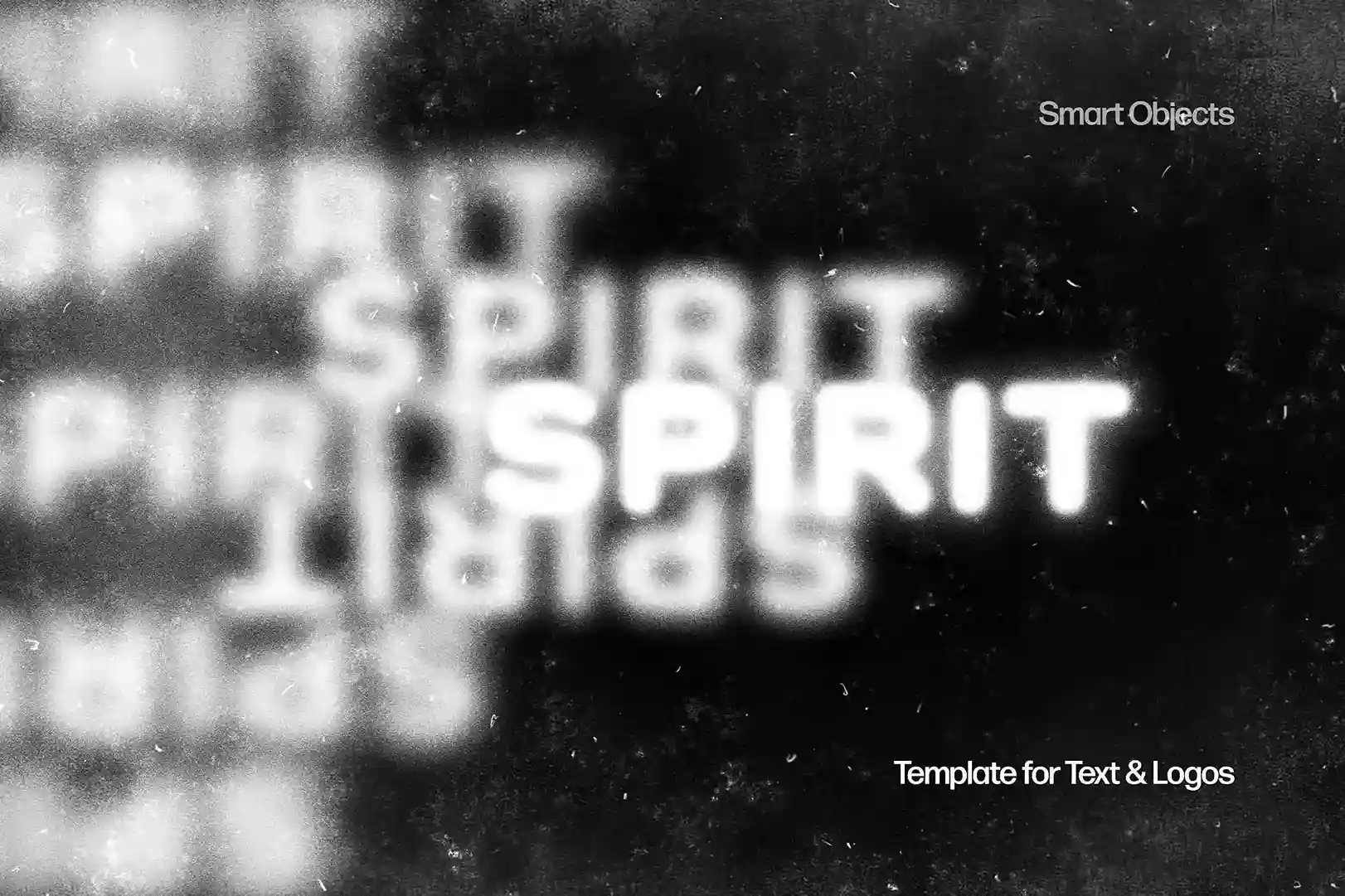
This Free Faded Blurred Text Effect PSD turns ordinary typography into a soft, distorted visual with faded edges and controlled blur. The result feels atmospheric and slightly mysterious, making it useful when clean, crisp text looks too ordinary for the project.
Use it for a large title, a short phrase, a name, or a single word that needs to feel more visual than informational.
What the Effect Actually Looks Like
The effect softens parts of the lettering instead of treating every edge equally. This gives the text a faded, out-of-focus appearance while the original letterforms still shape the composition.
Depending on the font and word you use, the result can feel:
- Soft and atmospheric
- Dark and mysterious
- Experimental
- Minimal
- Futuristic
- Nostalgic
A short word in a heavy font can create a strong poster graphic, while thinner typography may produce a more delicate and editorial result.
Replace the Text With a Smart Object
You don’t need to build the blur manually.
Open the Smart Object in Adobe Photoshop, replace the sample text with your own typography, save the layer, and return to the main PSD. The prepared effect is applied to the new content automatically.
This makes it easy to test different words and typefaces without rebuilding the same treatment each time.
Key Features
- Editable PSD text effect
- Faded and blurred typography style
- Smart Object customization
- High-resolution artwork
- Organised Photoshop layers
- Works with different typefaces
- Suitable for personal and commercial projects
- Compatible with Adobe Photoshop CC and newer versions
Where It Works Best
This text effect can be useful for:
- Music posters
- Album artwork
- Event graphics
- Fashion campaigns
- Editorial covers
- Art exhibition visuals
- Social media graphics
- Experimental branding
- Digital zines
- Portfolio projects
It works especially well when the typography is meant to contribute to the mood of the design rather than simply deliver information.
Designer Tip
Don’t blur everything.
If the main headline, date, location, website, and supporting text all use the same faded effect, the composition can become difficult to read.
A better approach is to use the blurred text as the visual hook and keep essential information sharp.
For example, a concert poster could use the effect on the artist’s name while the venue, date, and ticket details remain clear. The contrast between sharp and blurred typography makes the effect feel intentional.
Test the Word, Not Just the Font
The same typeface can produce very different results depending on the word.
Short words with strong letter shapes often remain recognisable after the effect is applied. Longer sentences may lose too much clarity.
Try the actual title or phrase you plan to use before deciding whether the effect fits the project. If the text becomes unreadable, don’t immediately reduce the blur. First test a heavier font, shorter wording, or larger type size.
A Small Warning About Logos
This effect can create interesting logo presentations, but it shouldn’t automatically replace the clean version of a logo.
A blurred treatment may work for a campaign graphic, poster, social post, or special brand visual. For practical uses—such as small icons, documents, packaging information, or website navigation—the original clear logo may still be necessary.
Think of the effect as a visual treatment, not always as the primary identity.
Technical Details
- File Format: PSD
- Effect Style: Faded and blurred
- Editing Method: Smart Object
- Software Required: Adobe Photoshop CC or newer
- Resolution: High resolution
- Layer Structure: Organised and editable
- Best With: Short words, headlines, names, and display typography
- License: Free for personal and commercial use
This faded blurred text effect is most effective when it has a reason to exist in the composition. Use it on the text you want people to feel first, keep important details readable, and let the contrast between soft and sharp elements do the visual work.

Reviews
There are no reviews yet.